
They are resources that are made available to be used and shared by others, often on a non-commercial basis. The resources can often be repurposed and re-used. If shared over the web the resources are generally deposited in a repository that is open to all users, globally.
There are many different forms of sharing, based often on open licence structures, such as those promoted by Creative Commons. We use these licence structures in Simshare.
There are hundreds of examples on the internet. Many are small-scale projects, by their nature unfinished, and literally open-ended. Some are large-scale, extensively-funded projects – MIT’s OpenCourseWare project is one example, with hundreds of courses posted online by MIT staff. The number and variety of resource repositories is considerable. Some examples are listed on our Zotero page of research resources on OER.
Generally, people who are interested in sharing learning resources, either their own or others, or are interested in collaboration in some way. And it doesn’t need to be academic faculty either. OER is really one version of the impulse of people to share knowledge – user groups, discussion forums etc are other forms of this, and of course the largest example of all is Wikipedia.
There are a number of reasons:
- Philanthropic: Sharing and providing education to people all over the world, with special attention to those in developing countries or without access to high-quality local education.
- Strategic: Adapting educational practices to the changing world culture may increase viability of educational institutions.
- Pedagogic: The act of sharing may draw attention to quality; the act of adapting or remixing may increase quality; the use of new technologies may enhance educational engagement amongst learners.
- Economic: Cost-savings to the institution by digitally archiving their own materials, and then sharing and reusing within the institution and amongst peers.
(Adapted from: http://mfeldstein.com/itoe-motivations-for-open-education/)
Given the nature of the resources that will be posted up onto Simshare it’s probably fair to say that many of the users will be other educators. Simshare is a repository and like other repositories it depends on its purpose and the purpose of those exploring it. The 2005 report on the MIT OpenCourseWare Project, for instance, identified that 43% of users were self-learners and 47% were students – and the students included many MIT students, who used the resources as flexible, distance-learning materials.
No. This question, and it’s a common one, assumes there’s a fixed number of students who will study on your programme at your institution. As the MIT study proves, OER can act as a powerful marketing tool to increase the pool of potential students thinking about studying at your institution.
The question also assumes that there’s a direct correlation between availability of resources on the web and student choice. In reality student choice is much more sophisticated and multi-modal. Students use the web in many ways to try to ‘personalize’ the future for themselves – they want to know what the experience of learning at your institution might be. If your name, associated with your resources and institution, is available on the web they will be discovered by potential students, and will give students an insight into your methods of teaching. And we know that many students are attracted by methods of learning that involve interaction and working with knowledge in practical ways.
The benefits have been listed as follows: they –
- lower the costs of educational materials for students
- foster pedagogical innovation and relevance that avoids ‘teaching from the textbook’
- give educators tools to gain control over learning content and delivery
- enable educators to share and remix learning materials for customized and localized use
- can foster fast feedback loops on quality and relevance of learning materials, which leads to continual improvement and rapid development
If you would like a more detailed overview, review this excellent webpage from Penn State University: https://oer.psu.edu/benefits-of-using-oer/)
There quite a few proven negatives that will hinder an OER project. Here are some:
- poor quality resources
- no business plan
- no sustainability plan
- focus on product to detriment of community
- no community
- no embedded sense of a remix culture
- other employment factors, eg management rules, the blocking of use of OER by an institution, etc.
- the community takes and doesn’t give in return.
Certainly – so long as it is in line with what they have licensed you to do with their resources. Generally we encourage authors to make their resources as open as they can be, to enable further development, localization, etc.
They can, so long as you give them permission via the licence you attach to the resources. And that’s one of the great freedoms we can give to each other as educators – that we can help each other to learn by giving ourselves the permission to draft, improve, change, make our own work anew.
It’s nearly always a pleasure to see others use and adapt our work – there is that basic motive! But there’s a lot more you can get out of contributing to Simshare. You will be helping students, self-learners, other educators and many others to improve their understanding of your subject. And of course you get the pleasure and fascination of working with others’ resources, and re-purposing them for your own local situation, culture and purpose.
But there is more you can get out of it. Most OER projects are based upon a consumerist provider/user model, where resources are made available by a provider and used by an end-user. However Simshare envisages a community of practice approach, where you can be involved in the re-purposing of your own and others’ simulations. In other words there is a move from ‘knowledge for all’ to ‘construction of knowledge by all’ (UNESCO 2005).
There is available to you a wide variety of licences via the Creative Commons. You choose what you would like your users to do with your resources. You can find more information on this below, or by going to the Creative Commons site.
The literature is growing all the time. We have created a library of resources on Zotero which you can use and add to yourself: https://www.zotero.org/groups/2718661/simshare/library
Full copyright can sometimes be restrictive should you wish your work to be shared and built upon. Creative Commons (CC) allows authors and collaborators to share and edit resources. CC licences protect the original copyright of the author while granting certain freedoms to others for use, sharing and amending. CC clearly conveys your desires, as the original author, about how you want your work to be used.

Attribution (BY)

Share Alike (SA)

Non-Commercial (NC)

No Derivative Works(ND)


A CC licence is only effective if other users can see it, so it is important to clearly mark your content. Depending on the type of content available there are multiple ways to do this but the core of the CC marker should contain:
- The URL to the licence (these are available above)
- The CC licence logos or marker text. These can be found at http://creativecommons.org/about/downloads/. Simshare allows you the option of choosing your licence during the submission phase. You may still want to license specific items inside the simulations though.
- The phrase ‘some rights reserved’ can also be used instead of the restrictive ‘all rights reserved’ phrase. Remember that it is important to clarify the specifics of the licence you have chosen.
For example:

Except where otherwise noted, this work is licensed under Creative Commons Attribution-Non Commercial
The abbreviated licence names may also be used. For example, the above text would read
Except where otherwise noted, this work is licensed under CC BY-NC http://creativecommons.org/licenses/by-nc/3.0/
Sample markers can be downloaded from http://wiki.creativecommons.org/CC_markers

Marking CC inside video
The most effective way of illustrating licence information inside video is with a video ‘bumper’ (example below). These can sit at the beginning and end of the footage and state the author information and the licence type. If you are creating your own bumper, be sure to include the CC licence icons and the full URL.
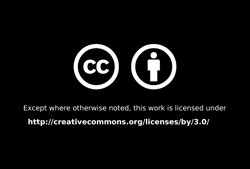
Sample bumpers (licence 3.0) can be downloaded from http://wiki.creativecommons.org/CC_video_bumpers.
Microsoft Office offers a plugin that allows you to place Creative Commons information directly into Word, Excel and PowerPoint documents.
The Creative Commons site offers a wizard based HTML generator which allows you to easily generate HTML code based on your desired license.
The Creative Commons website is a useful resource for everything CC. It contains logos, specific licence details, case studies, videos and news. The wiki also contains useful resources.